

Easy 5 minute install via command line
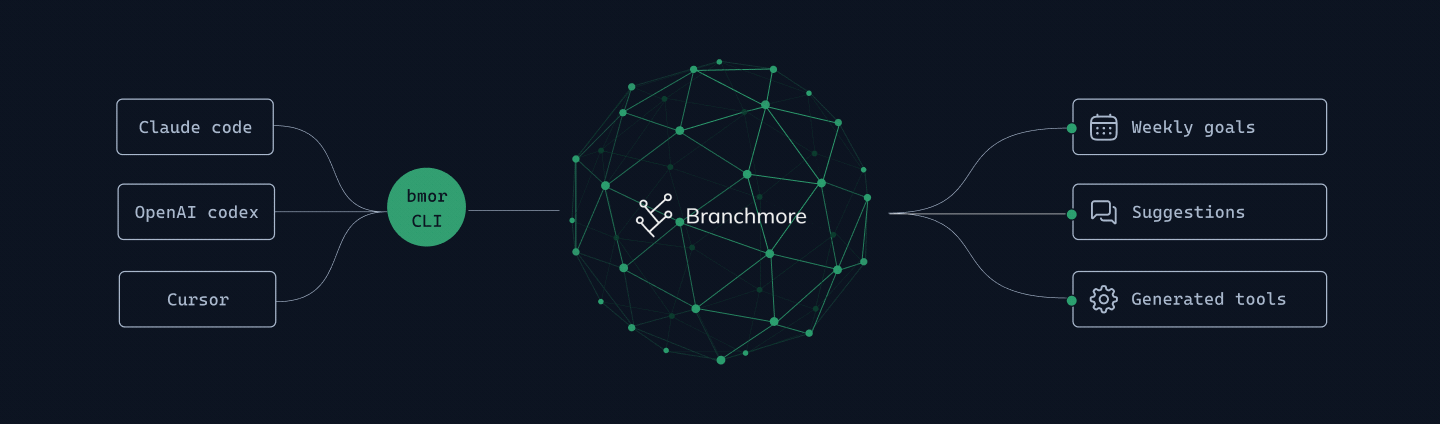
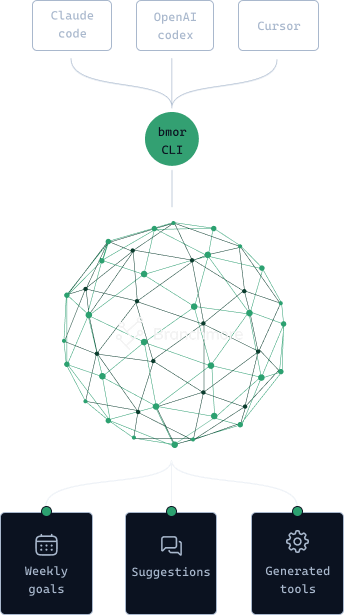
We plug into your coding agent through hooks. Just install our CLI tool, and call bmor init to install.
Explore your agent history,
find ways to
improve, and
optimize your agent’s tools.

We plug into your coding agent through hooks. Just install our CLI tool, and call bmor init to install.
We believe that "you can't improve what you don't measure". Our tools help you see how your agents work; the human learning loop.
Branchmore finds problems in the sessions, and converts them to agent instructions. This is the AI learning loop.
Multi-agent, multi-purpose improvement loop.
curl -fsSL https://raw.githubusercontent.com/branchmore/cli/main/install.sh | sh
 Weekly goals
Track goals to maintain
AI coding skills + habits
 Suggestions
 for users to change
and improve
 Generated tools
Suggestions for AI agents to change
and improve too
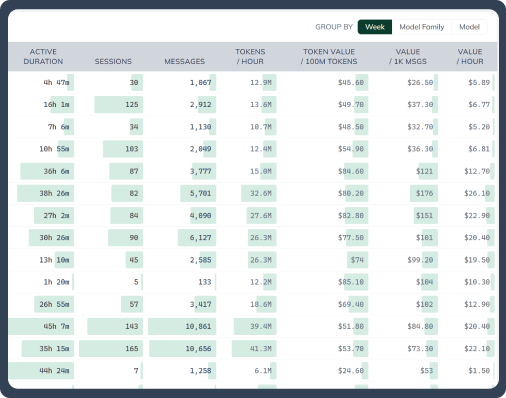
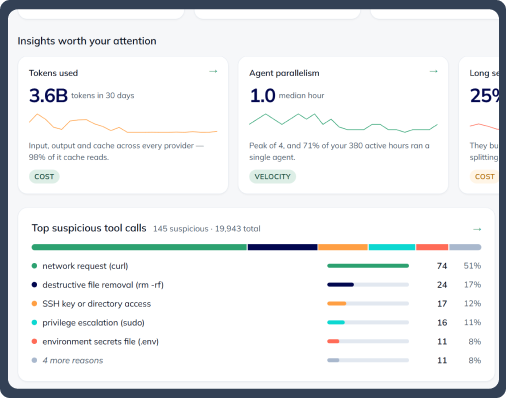
Track tokens to see how you can use them better
Visualize your token and subscription usage to identify waste and improve your usage patterns.
Branchmore identifies abnormally expensive sessions, wasteful tool calls, and other insights to help you do more with less.
Record sessions to review and find problems
There’s always something to learn once you dig into the agents’ thinking traces that are hidden from view, and the tool calls they make on your behalf.
Search through your sessions to find design decisions, actions taken, or mistakes made.
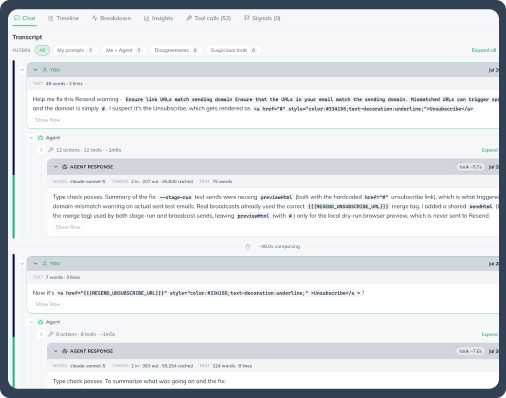
Generate AGENTS.md & Skills after identifying problems
Agents have higher rates of errors, inefficiencies and hallucinations than people.
Branchmore helps you identify those problems, surfaces them for you to triage, and generates code.
This is the human-agent feedback loop.
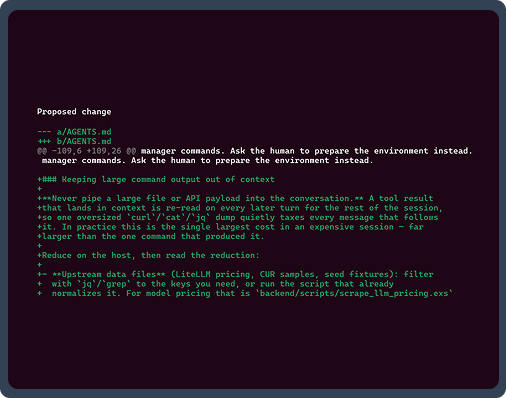
Catch unsafe actions to help you prevent repeats
What sudo commands did your agent run while you weren’t looking? Did it access a suspicious website, or download a suspicious package?
If these worries keep you up at night, we hear you. Branchmore looks through traces to surface problems for you to review.

We built Branchmore with your privacy in mind
We’re engineers too, and we care about privacy. We will be transparent in how we use your data, give you controls. Your data helps us build a better product, but only if you opt-in.

It’s important to be intentional with our tools
As AI does more of our work, it’s easy to go on auto-pilot. We analyze and curate your data to highlight areas to help you understand your AI agents. Equipped with that knowledge, we find it helps us work and understand our code.

Built to help people do their work, improve, have fun
We get it, not everyone loves AI. But when used well, we think AI can improve our abilities and can be a joy to play around with. As data nerds who enjoy puzzles and games, we’re crafting a product to make your productivity into a game.
Lightweight tool to explore your stats and transcripts
$0/ monthly
Deeper analysis with AI-enhanced analysis
$9/ monthly
Free during beta
Get started!Greater automation and quotas for high output users
$29/ monthly
Free during beta
Get started!Branchmore gets better when you build with teammates
Let’s talkBranchmore provided a very interesting observation! The failed parallel tool calls issue… shows a significantly lower ratio of cache reads to writes.

Nathan M.
Tech Lead
One of the biggest benefits of using Branchmore has been learning from past AI interactions. It quickly showed me where tokens were being wasted, allowing me to fine-tune my prompts and reduce usage while maintaining the same quality of results.

Mustafa S
Software Engineer
Branchmore is incredibly useful for tracking my AI work and token costs, and it also gives me a visual, distraction-free way to monitor many projects at a glance - it has become an indispensable tool for working efficiently with AI.

Son T.
Software Engineer
FAQ
We store it so you can search it later - that’s the product, not a side effect. Accounts are individual: nobody sees your sessions unless you join a club or team and choose to share. We don’t train models on your data, and neither do the providers we use. Before anything uploads, bmor strips it on your machine - file contents the agent read, command output, the bodies and diffs from every Write and Edit, pasted screenshots, extended thinking - then scans what’s left against 200+ known secret formats (AWS keys, GitHub tokens, private keys, JWTs) and redacts matches in place. Encrypted in transit and at rest in AWS us-east-1. Deleted within a month if you ask. More in our Security overview.
Token counts tell you what a session cost. The transcript tells you why. It’s the record of what your agent actually did, which is what you want the day a file disappears, a secret gets committed, or a deploy goes sideways. It’s also what makes the numbers actionable: where the model pushed back on you, which tool calls are worth a second look, why one session cost 8× its neighbors, what to fix in your CLAUDE.md or AGENTS.md. And your agent cleans up its own local logs on a rolling window - Claude Code defaults to 30 days. We keep yours.
Three things. Create an account. Install the CLI with one command - curl, Homebrew, or npm. Run bmor init: it writes a default config, detects which agents you already have installed, registers their hooks for you, opens a browser to log in, and asks one question - full transcripts or stats-only. That’s the five minutes. Then run bmor sync backfill and your existing session history uploads, so your dashboards have real data on day one instead of next week. No API keys to paste, no config to hand-edit, nothing to change in your repos. Uninstall is bmor uninstall.
Your agent already writes a session log to disk. bmor reads it. On install it registers hooks in each agent’s own config - ~/.claude/settings.json, ~/.codex/config.toml, ~/.cursor/hooks.json - that fire on session start and session end, plus Claude’s status line, which is where rate-limit data comes from. The hook spawns a detached background process, so your agent never blocks on our network. We don’t proxy your API calls, wrap your agent, or sit anywhere in the request path. If we’re down or you’re on a plane, batches stage locally and ship on the next sync. The agent never notices.
Today: Claude Code, Codex, and Cursor. Two things decide what’s next - how many people ask, and whether the agent leaves a local trail we can read. If it writes session logs to disk, we can usually add it. Cursor doesn’t, so we read its local SQLite database instead. Each new agent is a provider module - parser, collector, redactor - plus the work of normalizing its numbers into the same shape as everything else, so you can compare tools side by side instead of squinting at three dashboards. We don’t publish dates we can’t hit. Tell us what you’re running on Discord or the feedback page and it moves up the list.
We’re a small team that
loves to talk to users.
Reach out and we’d be happy to
share more information.
while (vibe_coding) {
  Branchmore.improve(
    agents
  );
}
Free while we're in beta. Claude Code, Codex, and Cursor.
Join for free!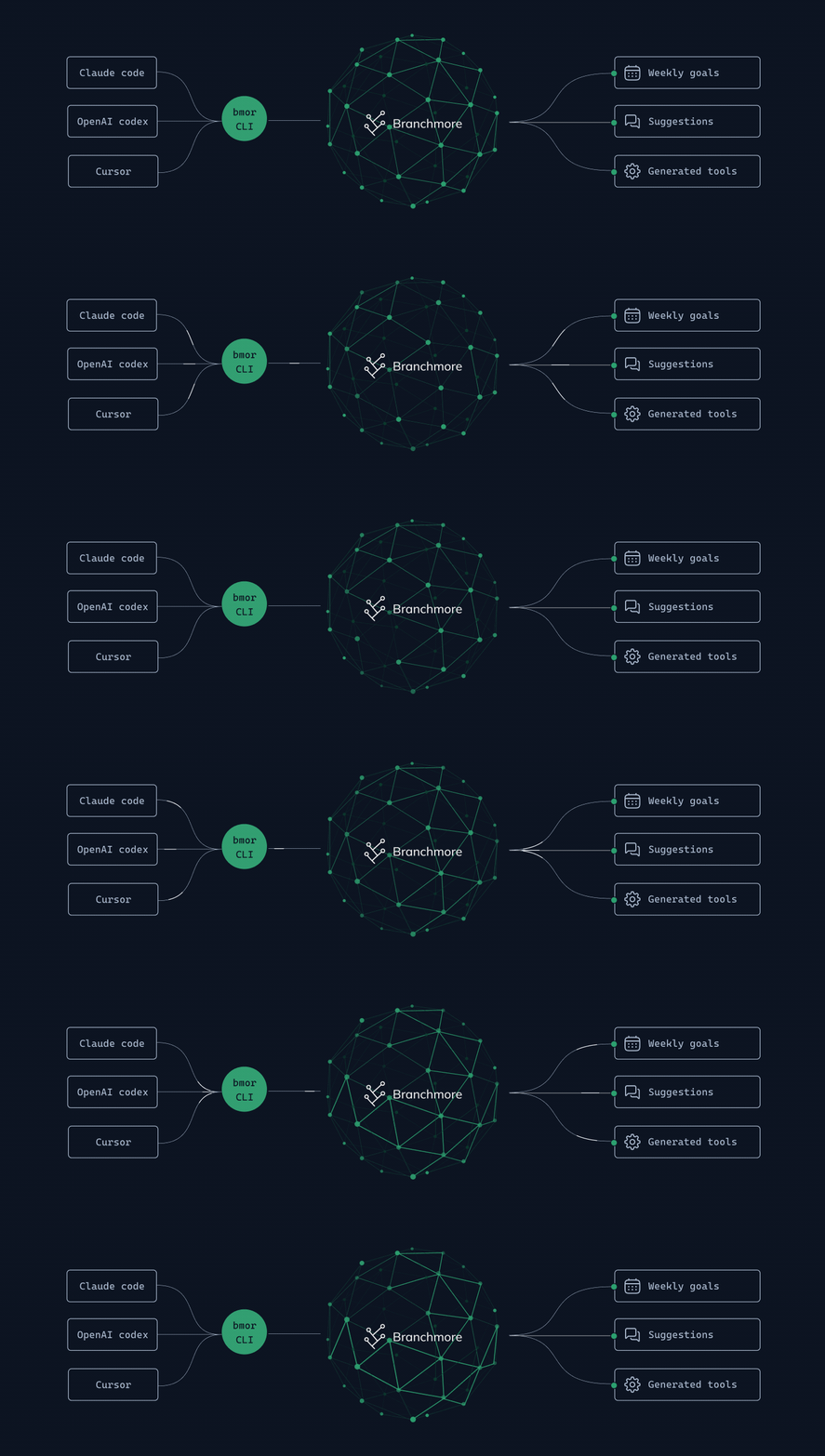



 Branchmore provided a very interesting observation! The failed parallel tool calls issue… shows a significantly lower ratio of cache reads to writes.
 Join Discord